
CATEGORY REFERENCE

cb77 app for Android and iOS

The cb77 app puts live casino tables, slot rooms and our sportsbook on your phone with quick login, saved favourites and timely alerts. Install it, open your account...

Android APKiOS accessBiometric loginPush alertsJazzCash ready
cb77 cb77 app for Android and iOS
cb77 What the cb77 app adds

What the cb77 app adds

Our app is made for quick phone sessions without losing the main cb77 flow. You can open slot rooms, check live tables, build a betslip and return to favourites from one bottom menu. App alerts tell you when a market changes or a table opens, while fingerprint login keeps account access short. The cashier panel is tucked inside the account area for

quick deposits when you choose JazzCash, Easypaisa, SadaPay or Raast.

  • Slots on the move
  • Live tables in hand
  • Betslip access
APP CONTROLS

App controls built for your phone

The cb77 app trims repeated taps from your daily account flow. We keep the main controls close to your thumb, remember safe device settings and make alerts easy...

Biometric login Use fingerprint or face unlock on supported phones, so you...
Dark mode Switch to a darker app view for late sessions, with...
Push alerts Choose alerts for account activity, market movement and app messages...
Lobby preview Open the app to view saved rooms and sports sections...
In-app cashier Reach JazzCash, Easypaisa, SadaPay and Raast from the account tab...
Compact slips Build sports selections in a smaller slip designed for one-hand...
cb77 Install the cb77 app in three steps

Install the cb77 app in three steps

Installing the cb77 app should take only a few moments on a supported phone. Use the download link from our brand home, keep your device connection steady, then open the app and sign in. Android may ask for permission to install the APK; iOS access follows the link shown on your phone.

  • Download the app
  • Allow installation
  • Open and sign in
  • Check alerts
DEVICE CHECK

Phone compatibility for Pakistan access

The cb77 app is tuned for current Android phones and iOS browsers with stable mobile data or Wi-Fi. Older devices may still open the lobby, but live streams and sportsbook panels need...

Auto-refresh hourly
cb77 Android version

Android version

92%

Android 8 or newer is recommended for smooth APK installation and biometric login.

cb77 iOS version

iOS version

97%

Recent iOS versions work through the phone access link without a separate store search.

cb77 RAM

RAM

96%

At least 3GB RAM helps live tables and sports screens stay responsive.

cb77 Storage

Storage

95%

Keep 150MB free for the app file, cache and future updates.

cb77 Supported regions

Supported regions

94%

Access is intended for Pakistan areas where local law permits online account use.

RTP percentages are informational reference values from provider documentation. Actual session outcomes vary.

SCREEN TOUR

Inside the cb77 mobile screens

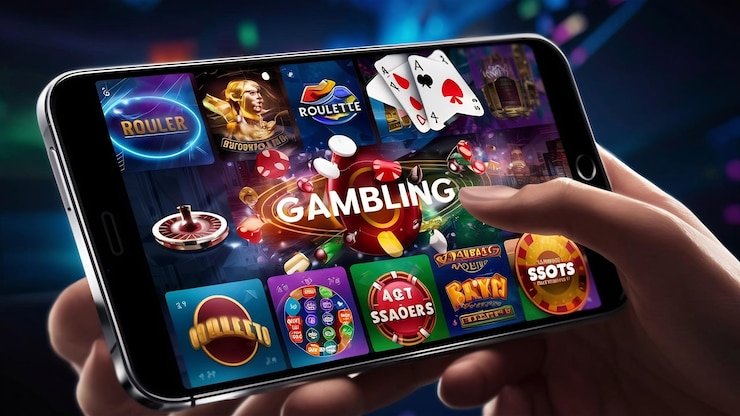
The app opens with a compact lobby, then separates casino, live tables, sportsbook and account tools into clear tabs. You can move from a slot room to a live table...

Live lobby preview
Quick betslip
Account access
Slot favourites
Table status
Alert centre
cb77 mobile gaming
APP HELP

Help when the app needs attention

If the app will not install, loads slowly or blocks login, our support team can check the issue from the phone side first. Share your device model, Android or iOS version and the screen where the issue appears. We can also help you refresh the app, clear cache or recover access safely.

Team online

App support chat

Open chat from the account area when the app loads, and send a short message with your device model and issue screen.

Email help

If you cannot open the app, email support with your registered number, phone version and any screenshot that shows the error.

Install help

Ask us for the current app link if your download failed, your APK was blocked or your iOS page did not open.

APP SAFETY

App safety and account recovery

We treat the cb77 app as an account access point, not just a shortcut icon. App files are signed before release, update links are kept on our own...

Signed app file

Our Android file is prepared with app signing, so your phone can recognise the cb77 package during installation and updates.

No random stores

We direct you to our own app link instead of asking you to search unknown stores or install unrelated phone...

Session checks

If a new device signs in, account checks help confirm the access before sensitive account actions are completed.

Recovery support

When you lose a phone, contact us so we can help protect the session and restore access on your new...

Update prompts

When the app needs a newer build, we show an update prompt rather than leaving you on an outdated screen.

Clear permissions

The app asks for only the phone permissions needed for login, alerts and stable account use.

App experience against mobile browser

You can still open cb77 through a phone browser, but the app gives you a more focused account route. It remembers safe settings, keeps favourites closer and reduces...

LoginThe app supports biometric unlock on compatible phones, while browser login usually needs more typing and repeated verification steps.
AlertsApp alerts arrive on your phone when enabled; browser messages depend on tab settings and may be easier to miss.
NavigationThe app keeps casino, live tables, sportsbook and account tabs fixed, so you spend less time opening menus.
FavouritesSaved rooms and recent screens are easier to reach inside the app after you return from a locked phone.
LoadingThe app can cache common screens, helping the lobby feel faster on repeat visits with steady data.
UpdatesBrowser changes happen silently, while the app may ask you to install a newer build for better phone support.

Six reasons to keep the app

The cb77 app is useful when you want the same account close at hand without opening multiple tabs. We focus on practical phone benefits: fast entry...

Fast return

Reopen cb77 from your home screen and return to the last main area with fewer taps than a fresh browser visit.

Saved favourites

Keep your usual slot rooms, table types and sports areas easy to find from the mobile lobby.

Account centre

Profile checks, cashier access and security settings sit in one app tab, away from the game screens.

Market alerts

Turn on sports and account alerts that matter to you, then adjust them whenever your phone routine changes.

Light interface

Cards, tabs and slips are sized for smaller screens, with fewer wide-page elements to pinch or drag.

Device recovery

If your phone changes, support can help secure the old app session before you continue on the new one.

cb77 app questions before install

Yes. Android phones can use the cb77 APK from our app link. Keep enough storage free, allow the install when prompted, then open the app and sign in.

Yes. iPhone access uses the iOS link shown on your phone. Open it in your mobile browser, follow the screen steps and keep your login details ready.

On compatible phones, you can switch on fingerprint or face unlock after signing in. Your device controls the biometric check; cb77 only uses it for faster account entry.

Yes, if you allow them. You can choose account alerts, market movement and lobby messages, then turn categories off inside the app settings.

Check storage, update your phone system and try the current cb77 app link again. If it still fails, contact support with your model and error screen.

Yes. Use your existing cb77 account details in the app. If you forgot access details or changed phones, support can help you recover the account safely.